- Website failover
- Website backup vs standby site: what’s the difference
Website backup vs standby site: what’s the difference
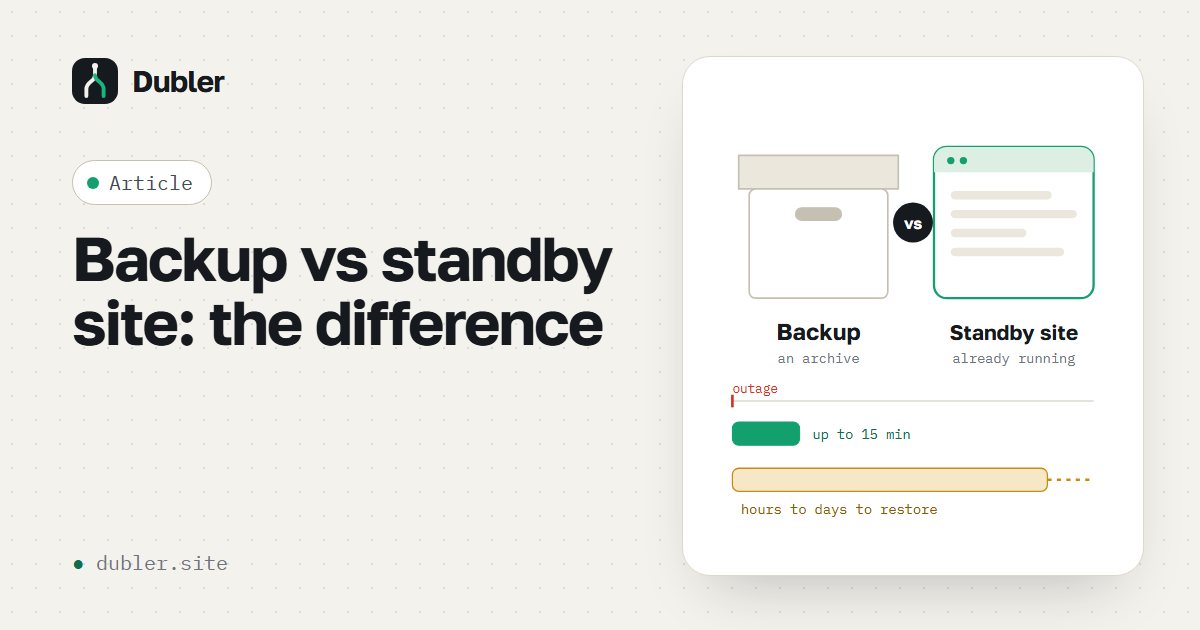
A backup is an archive of files and the database you can restore a site from. A standby site is an already deployed, working copy on another server that visitors can be moved to within minutes. A backup answers “will we lose data?”, a standby site answers “how long will clients be unable to find us?”.
Two questions to ask your contractor
Engineers call them RPO and RTO, but the point is clear without the terms:
- How much data can we lose? If the backup runs once a day, an incident wipes out everything changed since the last copy — up to a day of orders, edits and leads.
- How soon will the site open again? Restoring from a backup means a new server, configuration, moving files and the database, changing DNS. Realistically — hours, sometimes a day. A standby site is already deployed; switching takes up to 15 minutes.
Comparing the options
| Backup at the host | Own backup elsewhere | Standby site | |
|---|---|---|---|
| Where it lives | At the same host | In the cloud or on another server | Deployed on an independent server |
| Protects against | Mistakes and hacks | Data loss if the host fails | Downtime; data as of the last sync |
| Time to get the site back | Hours — if the host works | Hours or a day | Up to 15 minutes |
| A specialist needed during the outage | Yes | Yes | No — the plan and the copy are ready |
| Cost | Usually included in hosting | Inexpensive | Launch fee and a monthly fee |
The 3-2-1 rule
The classic backup rule: three copies of data, on two different platforms or media, and one outside the main provider. For a website this means: the live version, a backup at the host and one more copy with an independent vendor. A standby site covers the third point and solves downtime too.
When a backup is enough
- A business-card site with few leads.
- No ads lead to the site.
- An hour or a day of downtime costs the business nothing.
When you need a standby site
- Paid ads lead to the site — every minute of downtime is paid for.
- Leads or orders come in every day.
- The site, DNS, email and services on it depend on one or two vendors.
- You’ve already been through an outage and don’t want a repeat.
How to check that your backup actually works
- Find out the date of the latest copy and where exactly it’s stored.
- Make sure both files and the database are copied — separately they’re useless.
- At least once a quarter, restore the site from the copy on a test server.
- Keep at least one copy away from your main host.
Want an outage to take minutes, not hours?
We’ll build a standby site in 1–3 days: a copy on an independent server, nightly updates and a switchover plan. Check your site in 10 seconds.
More on the topic
Website down: what a business owner should do
How to find out in 10 minutes what broke, whom to call and how not to lose leads while it’s being fixed.
Read
Will your site survive a hosting outage: a 12-question checklist
Go through it with your IT specialist — 10 minutes, and the weak spots are visible.
Read